
EXT-07 · DEV TOOLS · LIVE ON CHROME
Dev Canvas Studio
Inspect any web UI, preview CSS live, and ship localhost-ready style diffs to Claude Code — from Chrome’s side panel.
01 /Overview
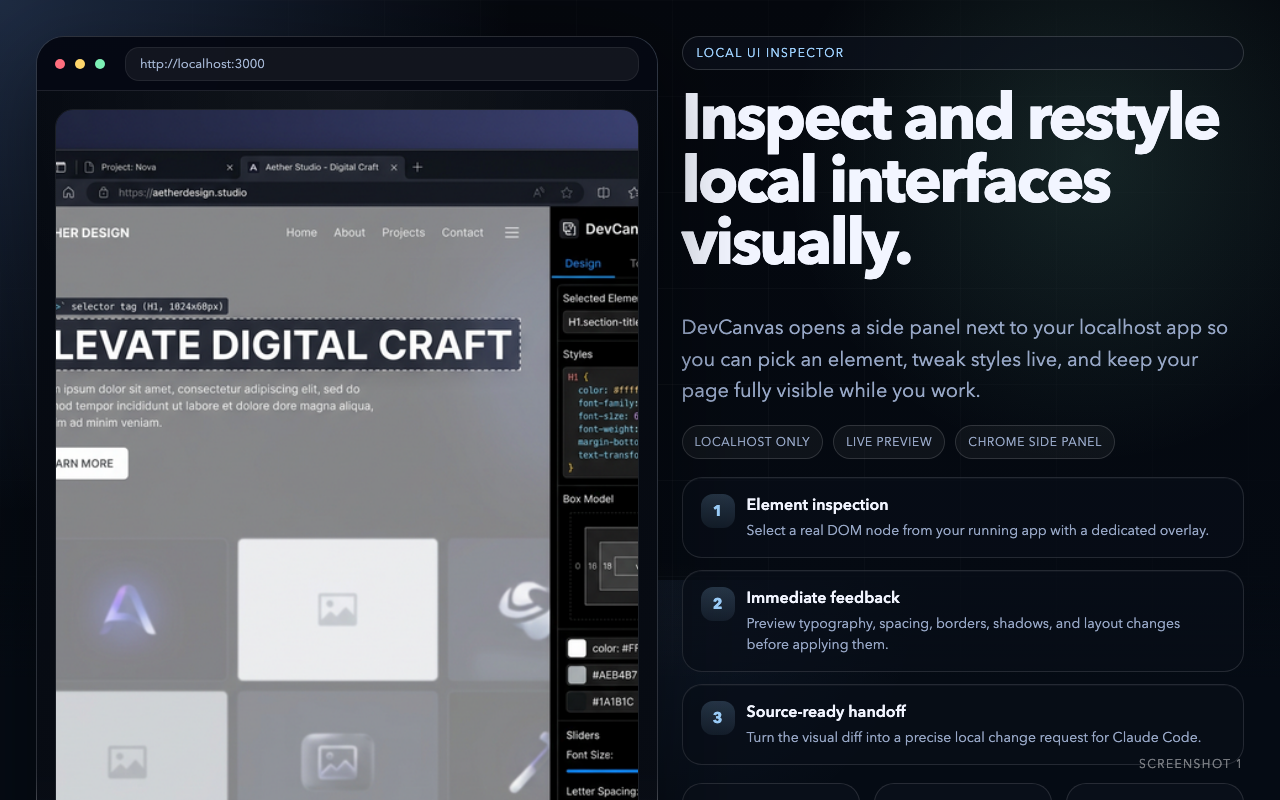
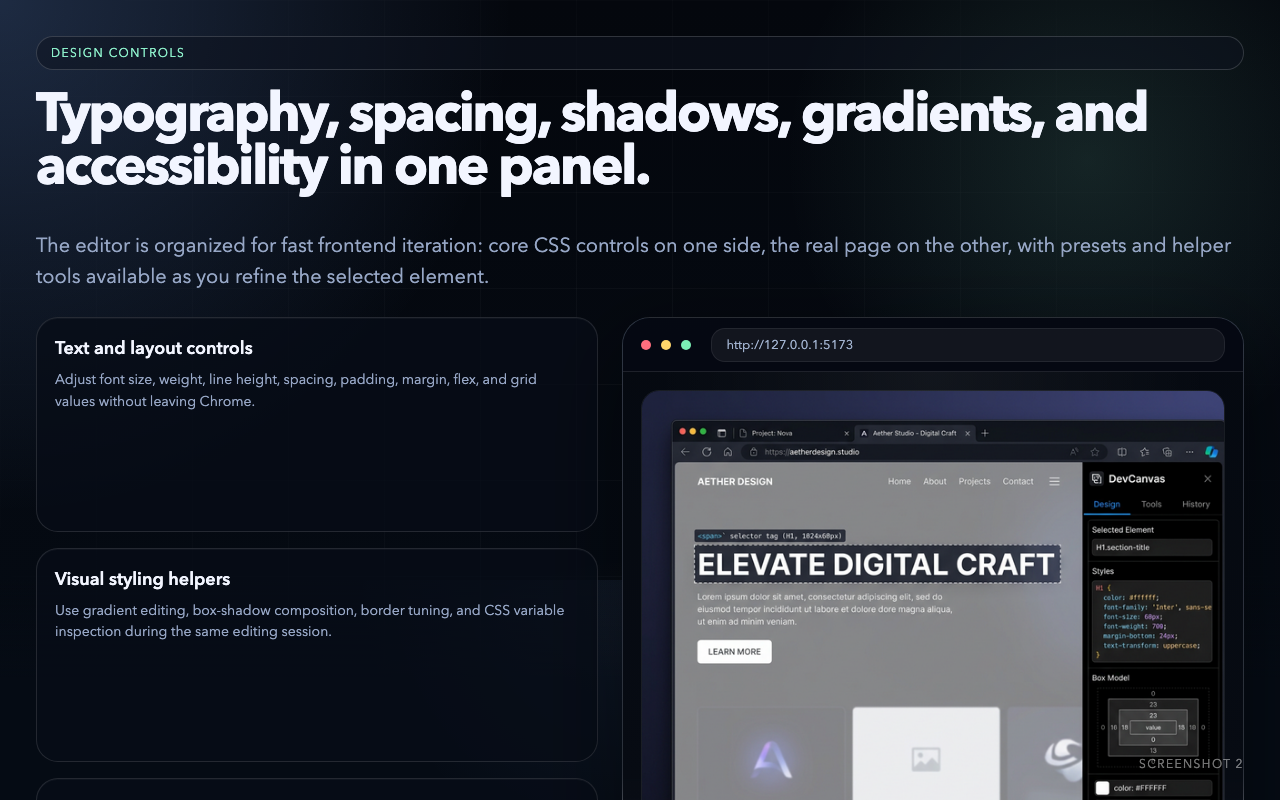
Dev Canvas Studio is a visual UI inspection and styling workspace built into the side panel. Click any element to explore its styles, preview changes instantly, and queue precise diffs — with framework detection for React, Vue, Svelte, Angular, Next.js and Nuxt, and automatic Tailwind conversion for every change.
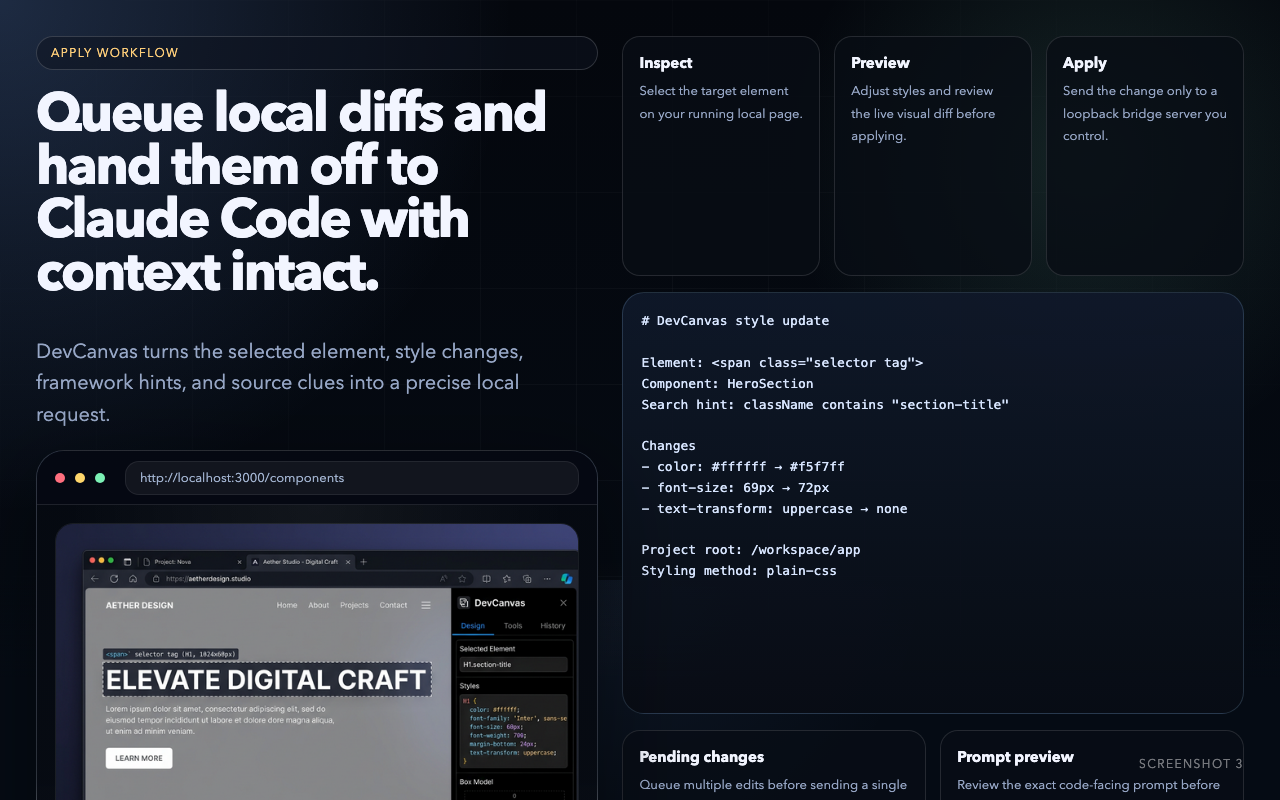
On local projects, a user-controlled localhost bridge hands queued diffs to Claude Code over MCP, so the AI updates the actual source files. Gradient, animation and pseudo-state editors, responsive preview, and a WCAG contrast checker round out the bench. Source-code application is intentionally local-first — designed to fail safely.
Granted permissions
storage
activeTab
clipboardWrite
sidePanel
tabs
scripting
alarms
02 /Capabilities
- Click-to-select inspector with live CSS preview
- Framework detection: React, Vue, Svelte, Angular, Next, Nuxt
- Converts CSS changes to Tailwind utility classes
- Gradient, animation and pseudo-state editors
- WCAG contrast checker and responsive preview
- Claude Code integration over a localhost MCP bridge
03 /Field captures
04 /Privacy dossier
No accounts, no analytics or tracking SDKs, and no data sold. Inspected page data is never sent to a remote public service.
Settings and queued changes stay in chrome.storage.local; style diffs travel only to a user-controlled localhost bridge.
Read the full policy